
.svg?fit=max&auto=format&n=fnPhXvYfm-TNmZho&q=85&s=dc407af2e287b4714cedea5b8d7abf4d)
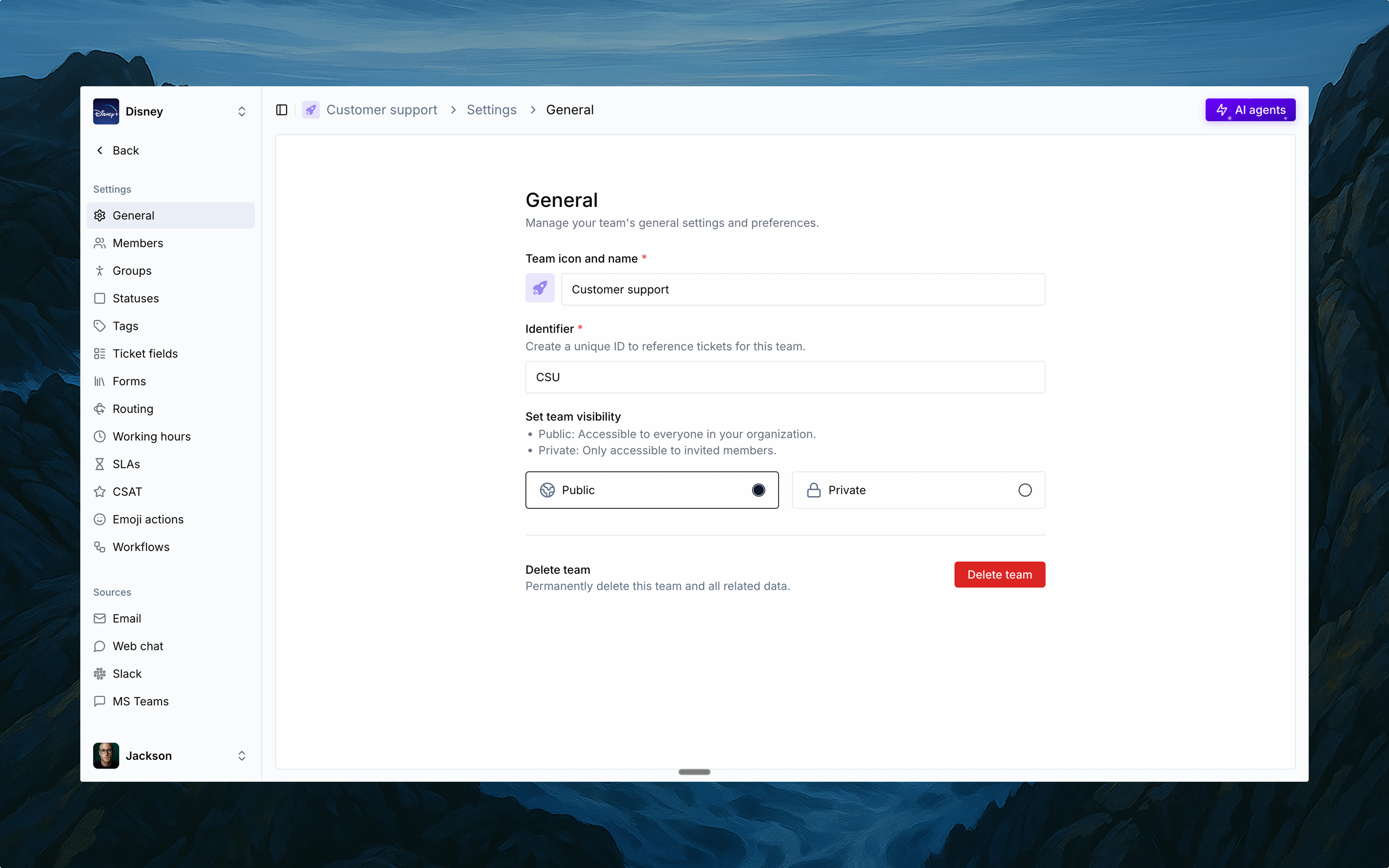
Overview
Thena supports multiple teams, each with its own dedicated workspace. Whether it’s Support, Success, or Solutions, every team gets its own board, settings, and identity—designed for how they work.🚀Built for multi-team operations
Each with its own triage, automation, and reporting setup.
Centralized ticketing for Customer support
Escalation workflows for Solutions engineers
Proactive touchpoints for Customer success
Name and icon
Set your team’s visual identity.
Identifier
Short code for ticket IDs and cross-tool tracking.
Privacy control
Public (org-wide) or private (invite-only) access.
Deleting a team
Permanent deletion removes all team data.
Configuration
Each team has its own configuration for:Members
Manage users and roles.
Groups
Split teams by functions and regions.
Statuses
Customize statuses.
Tags
Add context with labels.
Ticket fields
Customize ticket data points.
Forms
Collect structured responses.
Routing
Direct tickets to groups and members with logic.
SLAs
Set response time goals.
Emoji actions
Trigger actions with emoji.
Workflows
Automate with custom logic.
Slack
Integrated Slack-based support.
Support via direct email.