> ## Documentation Index
> Fetch the complete documentation index at: https://docs.thena.ai/llms.txt
> Use this file to discover all available pages before exploring further.
# Routing
> Rule based routing to groups and members.
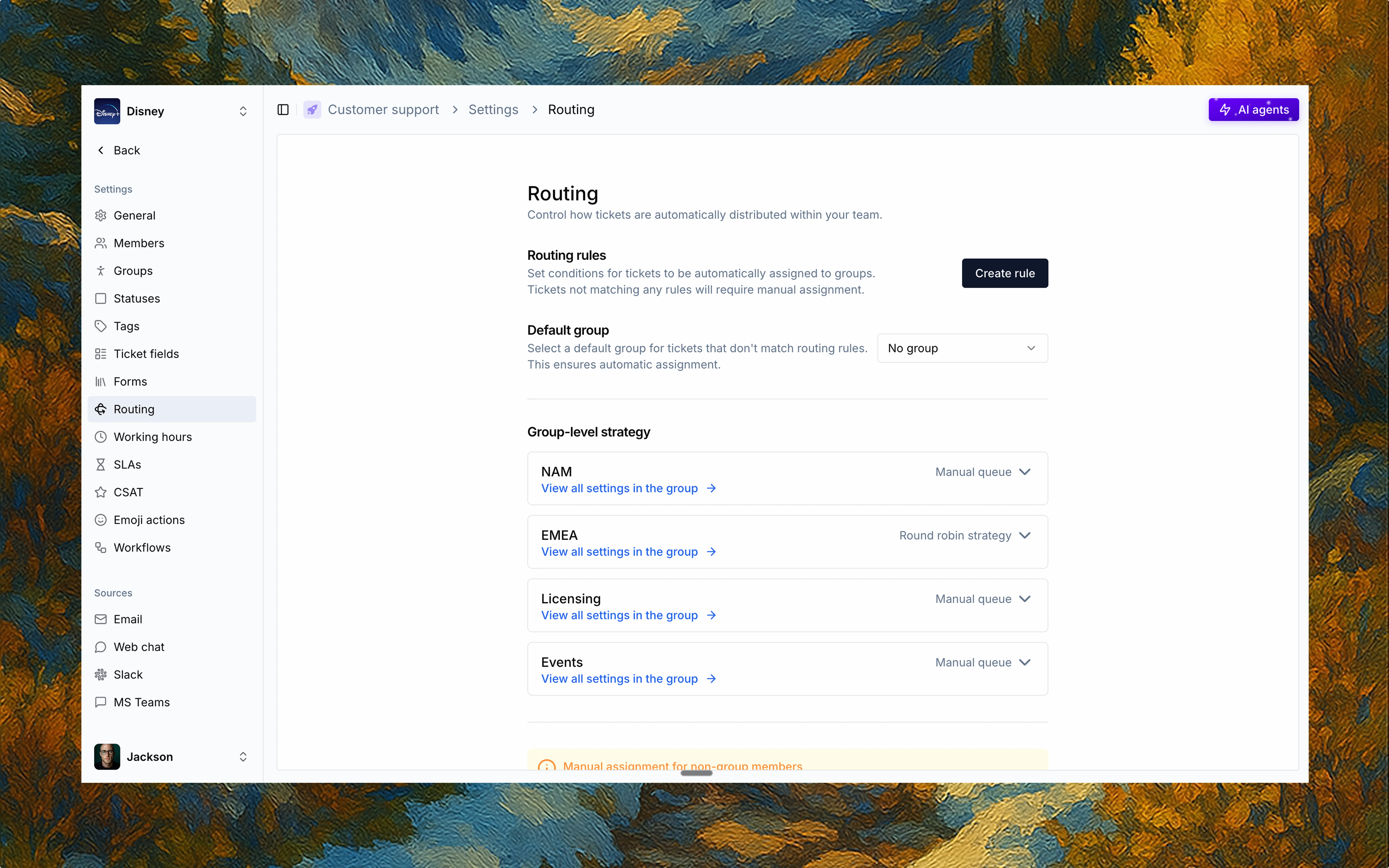 Routing automates how tickets are distributed across your team. With rules and fallback logic, Thena ensures every ticket lands in the right hands.
## Rule-based assignment
Use Routing rules to auto-assign tickets to specific groups based on defined conditions. Rules can be built using events and fields inside Thena—like form selections, tags, or ticket sources.
* Set ALL and ANY conditions
* Match on multiple criteria
* Route to a specific group
Tickets that don't match any rule will stay unassigned unless a default is set.
Assign a fallback Default group to catch any tickets that don't match existing rules—keeping your triage clean and uninterrupted.
## Group-level strategy
Once a ticket is routed to a group using a routing rule, the group's assignment strategy takes over.
Each group controls how tickets are distributed among its members—ensuring clear ownership and faster responses.
Only members of the group are eligible to receive tickets.
## No groups? No problem
If groups haven't been created yet, you can enable an assignment strategy at the team level. This allows tickets to be distributed across all team members until groups are set up.
Routing automates how tickets are distributed across your team. With rules and fallback logic, Thena ensures every ticket lands in the right hands.
## Rule-based assignment
Use Routing rules to auto-assign tickets to specific groups based on defined conditions. Rules can be built using events and fields inside Thena—like form selections, tags, or ticket sources.
* Set ALL and ANY conditions
* Match on multiple criteria
* Route to a specific group
Tickets that don't match any rule will stay unassigned unless a default is set.
Assign a fallback Default group to catch any tickets that don't match existing rules—keeping your triage clean and uninterrupted.
## Group-level strategy
Once a ticket is routed to a group using a routing rule, the group's assignment strategy takes over.
Each group controls how tickets are distributed among its members—ensuring clear ownership and faster responses.
Only members of the group are eligible to receive tickets.
## No groups? No problem
If groups haven't been created yet, you can enable an assignment strategy at the team level. This allows tickets to be distributed across all team members until groups are set up.