> ## Documentation Index
> Fetch the complete documentation index at: https://docs.thena.ai/llms.txt
> Use this file to discover all available pages before exploring further.
# Contact fields
> Structure and personalize your contact data.
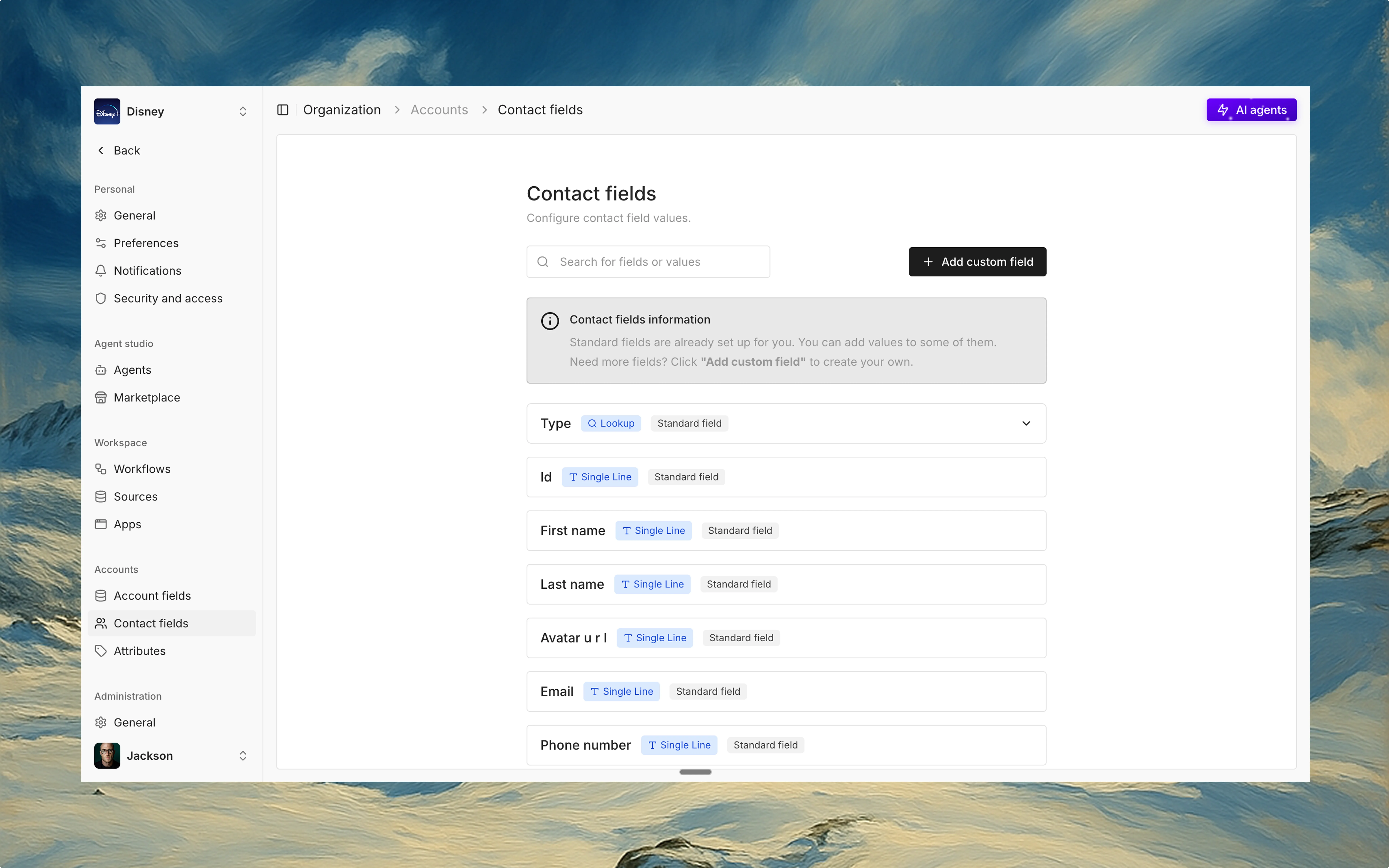 ## Overview
Contact fields allow you to structure, enrich, and extend information about individual contacts in your workspace. While Account fields operate at the organization level, Contact fields give you control at the person level—ideal for segmentation, personalization, and automation.
## Standard fields
Thena provides one editable standard field for contacts:
Primary, Billing, Legal, Executive, Other
You can edit the values of the Type field, assign icons, and apply colors to visually differentiate contact types. Whether you're tagging a VP, billing coordinator, or legal signatory—this helps ensure clarity and precision.
Other standard contact fields—like Email, Phone Number, Is Active, etc.—come built-in and are non-editable. These fields power core functionality and integrations within Thena.
## Custom fields
For everything else, Thena lets you define your own custom fields. You can choose from a wide variety of data types:
Single line, Multi line, Rich text
Integer, Decimal, Currency
Date, Date & time, Time
Single choice, Multi choice, Radio buttons, Checkboxes
File upload, Email, Phone number, URL, Address, Rating, Coordinates, IP address, Regex, Password
Calculated, Lookup, Toggle / Boolean
## Powered by automation and AI
You can use contact fields in:
* Workflows to trigger automations (e.g. auto-assign contacts based on type)
* AI agents to customize engagement based on rich contact metadata
## Why it matters
Contact fields make your customer data smarter. With structured attributes at your fingertips, you can slice and dice your contact base, personalize outreach, route tickets intelligently, and build automations that feel human.
## Overview
Contact fields allow you to structure, enrich, and extend information about individual contacts in your workspace. While Account fields operate at the organization level, Contact fields give you control at the person level—ideal for segmentation, personalization, and automation.
## Standard fields
Thena provides one editable standard field for contacts:
Primary, Billing, Legal, Executive, Other
You can edit the values of the Type field, assign icons, and apply colors to visually differentiate contact types. Whether you're tagging a VP, billing coordinator, or legal signatory—this helps ensure clarity and precision.
Other standard contact fields—like Email, Phone Number, Is Active, etc.—come built-in and are non-editable. These fields power core functionality and integrations within Thena.
## Custom fields
For everything else, Thena lets you define your own custom fields. You can choose from a wide variety of data types:
Single line, Multi line, Rich text
Integer, Decimal, Currency
Date, Date & time, Time
Single choice, Multi choice, Radio buttons, Checkboxes
File upload, Email, Phone number, URL, Address, Rating, Coordinates, IP address, Regex, Password
Calculated, Lookup, Toggle / Boolean
## Powered by automation and AI
You can use contact fields in:
* Workflows to trigger automations (e.g. auto-assign contacts based on type)
* AI agents to customize engagement based on rich contact metadata
## Why it matters
Contact fields make your customer data smarter. With structured attributes at your fingertips, you can slice and dice your contact base, personalize outreach, route tickets intelligently, and build automations that feel human.